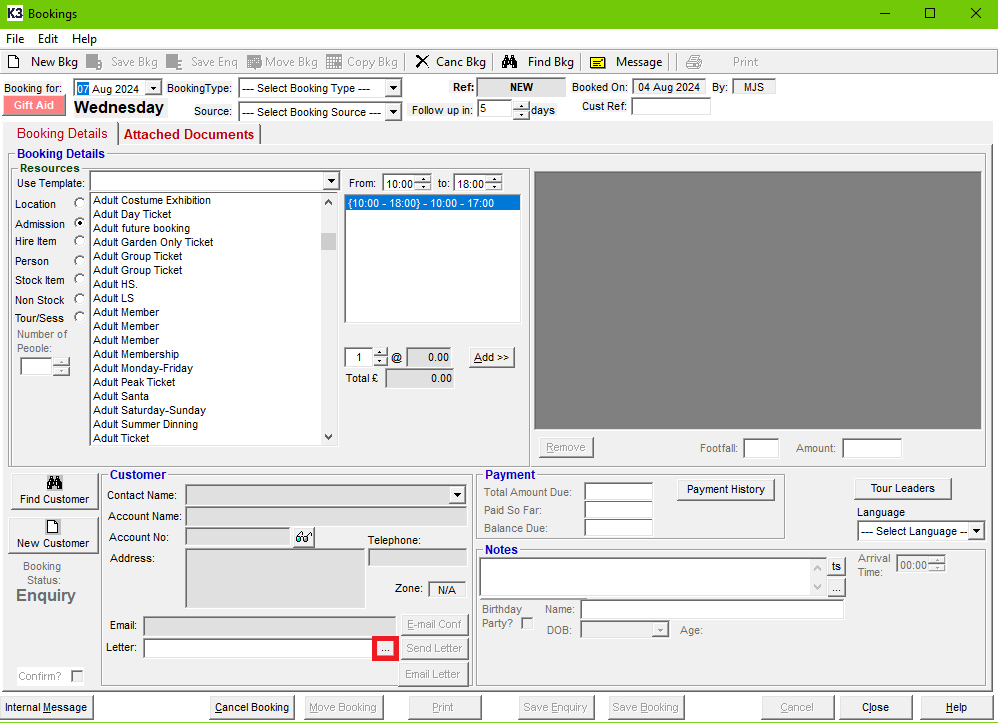
If you would like to edit the booking confirmation letter sent out from the Back Office Booking screen, you will need to:
- Open any booking from the Back Office, Click Edit and Edit Mailmerge Template.
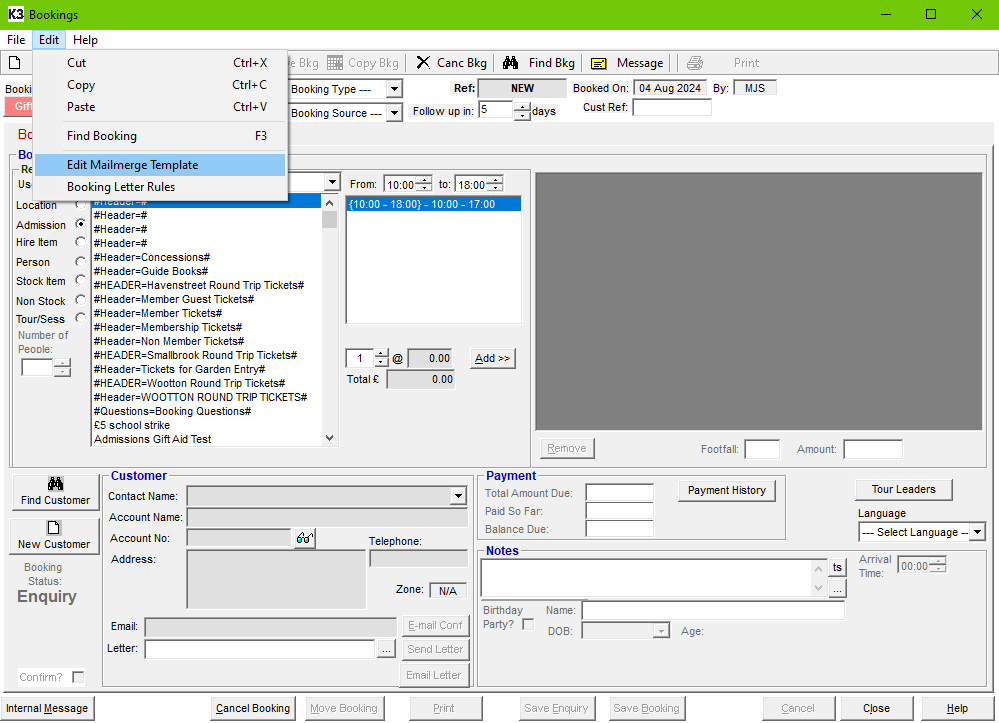
- This will open a Windows File Explorer window directed at the default booking confirmation letter template folder for Merac. You will then need to find the booking confirmation letter template on your network, that you would like to amend, and click Open.
- A Microsoft Word document will open, but may not show on your screen, so you will need to select the Microsoft Word icon on your taskbar, for the window to appear in front.
- With the Back Office booking confirmation letter open, you will be able to amend this document, and Insert Merge Field from Merac from the Microsoft Word Mailings tab along the ribbon on the top.
- Once you are happy with your changes, save the document, and then you can reference this document by clicking ... next to Letter: (as you can see below).