
How to open the Teamviwer that is in the Merac file.
1. follow the file chain thisPC > Cdrive > ProgramFiles(x86) > Merac > MeracQS.
2. Makes sure no other instances of TeamViewer are running at the same time.
£. to check no other are running open the little arrow in the bottom right of the screen.

4.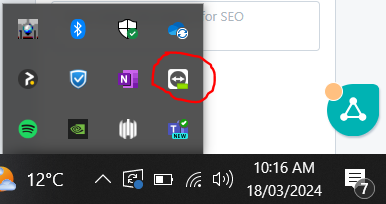
5. Right click on this TeamViewer icon if there is one there and close it out.
6. Then try to open the MeracQS from the file explorer again and it should open