
If you have restarted the PC and the updated version has not pulled down correctly.
1. Please check the following Windows folder permissions:
- C:\Program Files (x86)\Merac
- C:\ProgramData\Merac
Check if 'Everyone' has full control.
If not, right click, security tab, add:
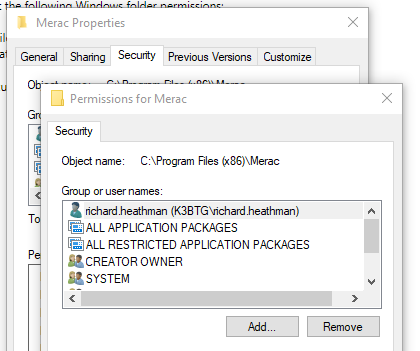
Add 'Everyone'
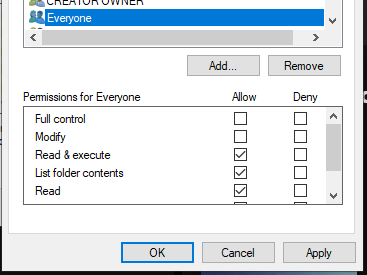
Set Everyone to 'Full control'
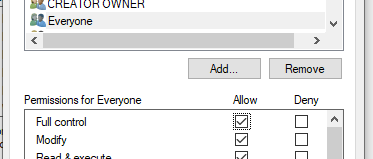
Ok, to apply the change.
Restart the Merac Updater service and it should pull the updated version down (Ensure that back office and the POS are closed as it won't be able to overwrite open files)
2. If this doesn't work, please contact Merac support and the team can connect in and update.