
If you receive the below 'File not found' error when attempting to recreate till data; this is due to a till configuration file missing, so this file cannot be updated.
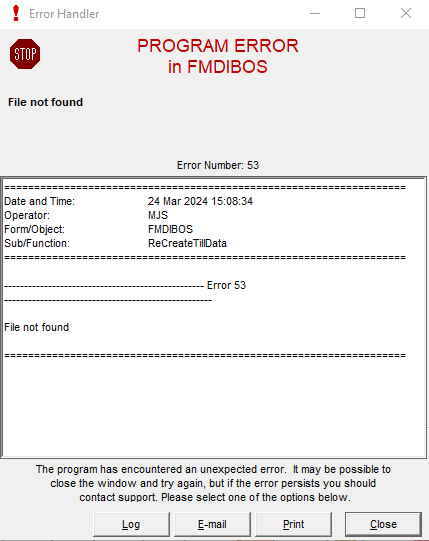
To resolve this issue, please follow the below steps:
- Press the Windows key and the letter R at the same time, to open the Run window.
- Type in C:\ProgramData\Merac and press Enter.
- Copy the attached file MeracDat.txt file into the C:\ProgramData\Merac folder.
- Attempt to recreate till data again.
This should then resolve the issue you are experiencing.