
Issue
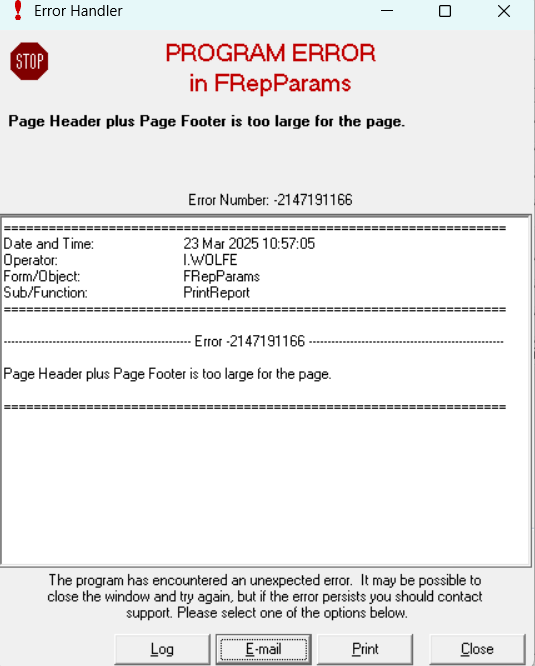
You are getting the below error "Page Header plus Page Footer is too large for the page" when trying to screen or print a report within Merace Back Office. This is due to your default Windows printer default page size is smaller than A4, which is what the report has been designed to fit on. This generally happens on tills with receipt and ticket printers.
Solution
Please go to this Microsoft support page to set your default printer to an A4 printer: https://support.microsoft.com/en-gb/windows/set-a-default-printer-in-windows-e10cf8b8-e596-b102-bf84-c41022b5036f#id0ebf=windows_11.
If you do not have a physical A4 printer connected to your PC, use a virtual printer (Microsoft Print to PDF or Microsoft XPS Document Writer) that are generally installed on all Windows PC's.