
Issue
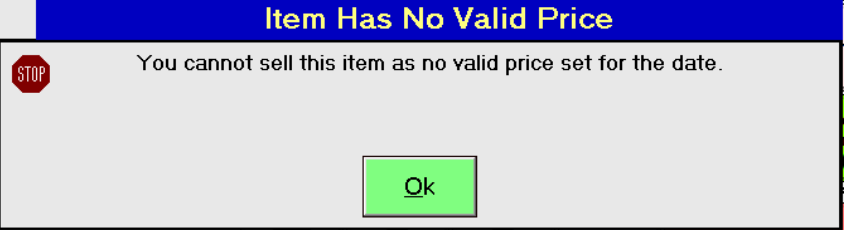
If you are selling an item or redeeming a booking, and you receive the below message. This means the item you are selling does not have a valid price for today, or the day you have chosen to sell this on.
Resolution
To resolve this issue:
- Find the item within Price Lookup Index in the Merac Back Office.
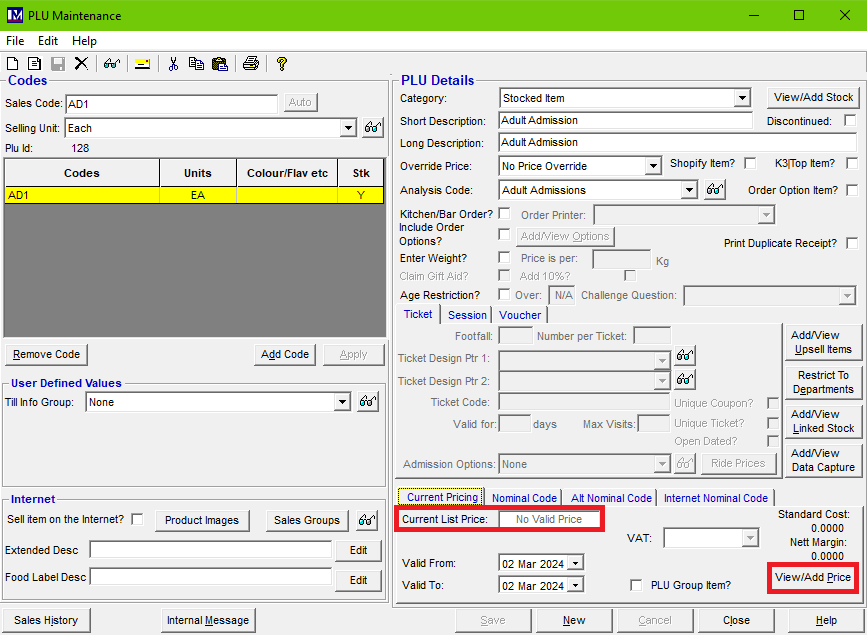
- Open the PLU Maintenance screen for this item (A quick giveaway for the cause can be due to the Current List Price showing as No Valid Price).
- Click View/Add Price.
- Within the Price History screen, make sure there is a valid price showing for today, or the date you are trying to sell this item for. We recommend adding 10 years on most PLU's to reduce how common this issue occurs.
Do not allow price breaks valid from and to dates to overlap, as this can cause adverse issues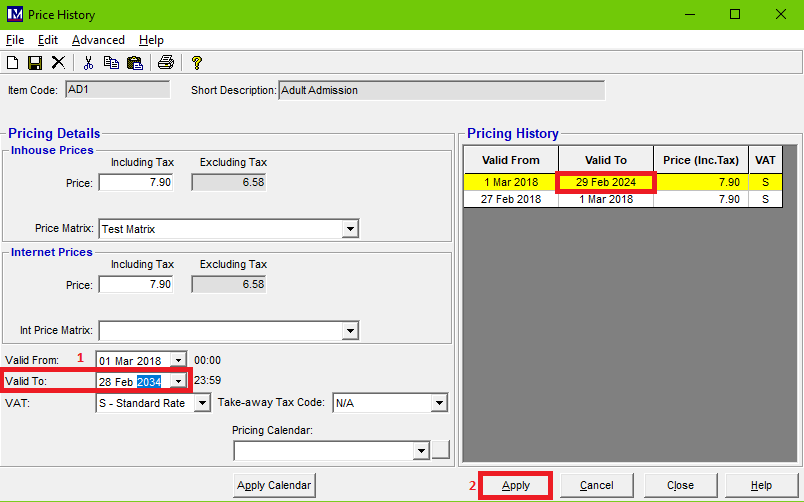
- Click Apply.
- Recreate till data (Instructions on this can be found here: How To Recreate Till Data In Merac Back Office), and update the tills affected.
When you next open the till program, you can now sell this item.