If you are experiencing issues with kitchen printing via the default Windows kitchen printing functionality, there is now a dedicated application that handles this to improve performance. This application will be pushed out to all tills as part of a standard Merac system upgrade.
Before setting this up, you will need to make sure you on Merac version 3.19.6 or later.
Once you are on an eligible version, please follow the below steps to set this up:
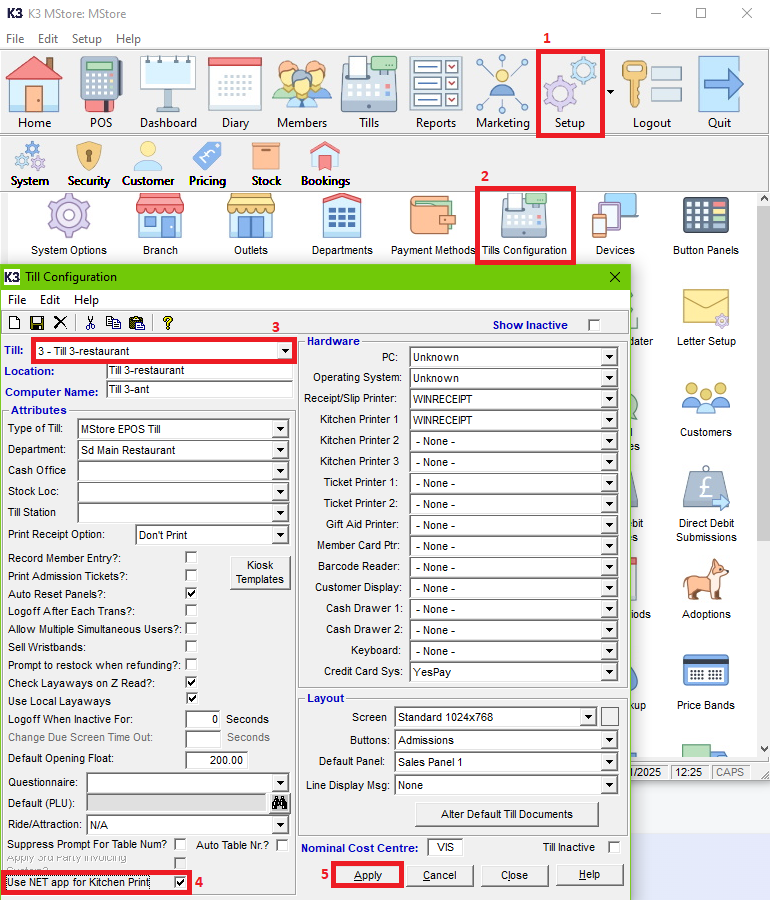
- Within the Back Office, go to Setup (1), Till Configuration (2).
- Within the Till Configuration screen, choose the till (3) you would like to enable .Net kitchen printing, then tick Use .Net app for Kitchen Print (4), then Apply (5).
- Do the above for each till that you would like this setup on.
- Finally, recreate till data and update your till.
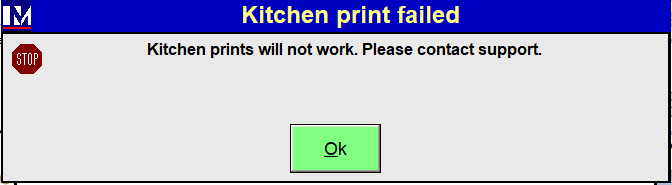
If you launch the POS and receive the below error, this will be due to critical files are missing. Please contact support by logging a ticket here.