
So if you are on the till screen and hold Ctrl + right click on a panel it will bring up the below screen.
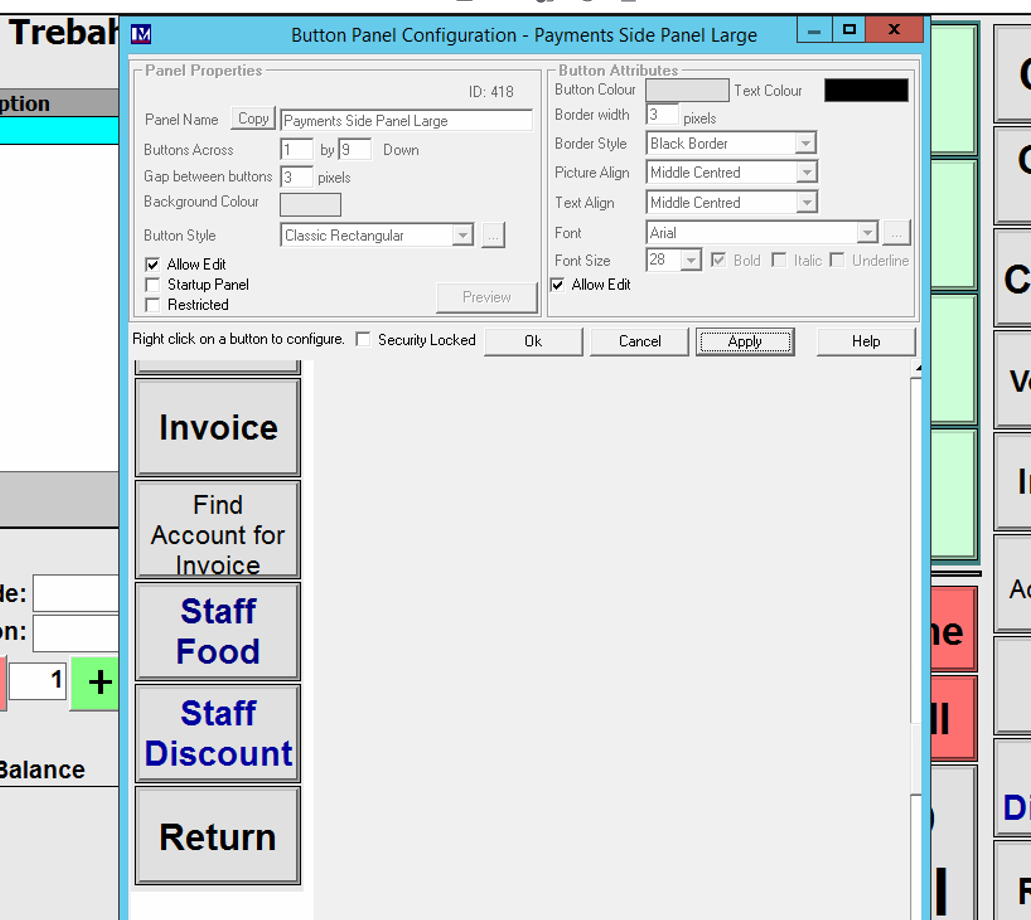
Once on this screen you can right click on the button you wish to configure.
This will then bring up the below screen where you can edit the specific buttons.
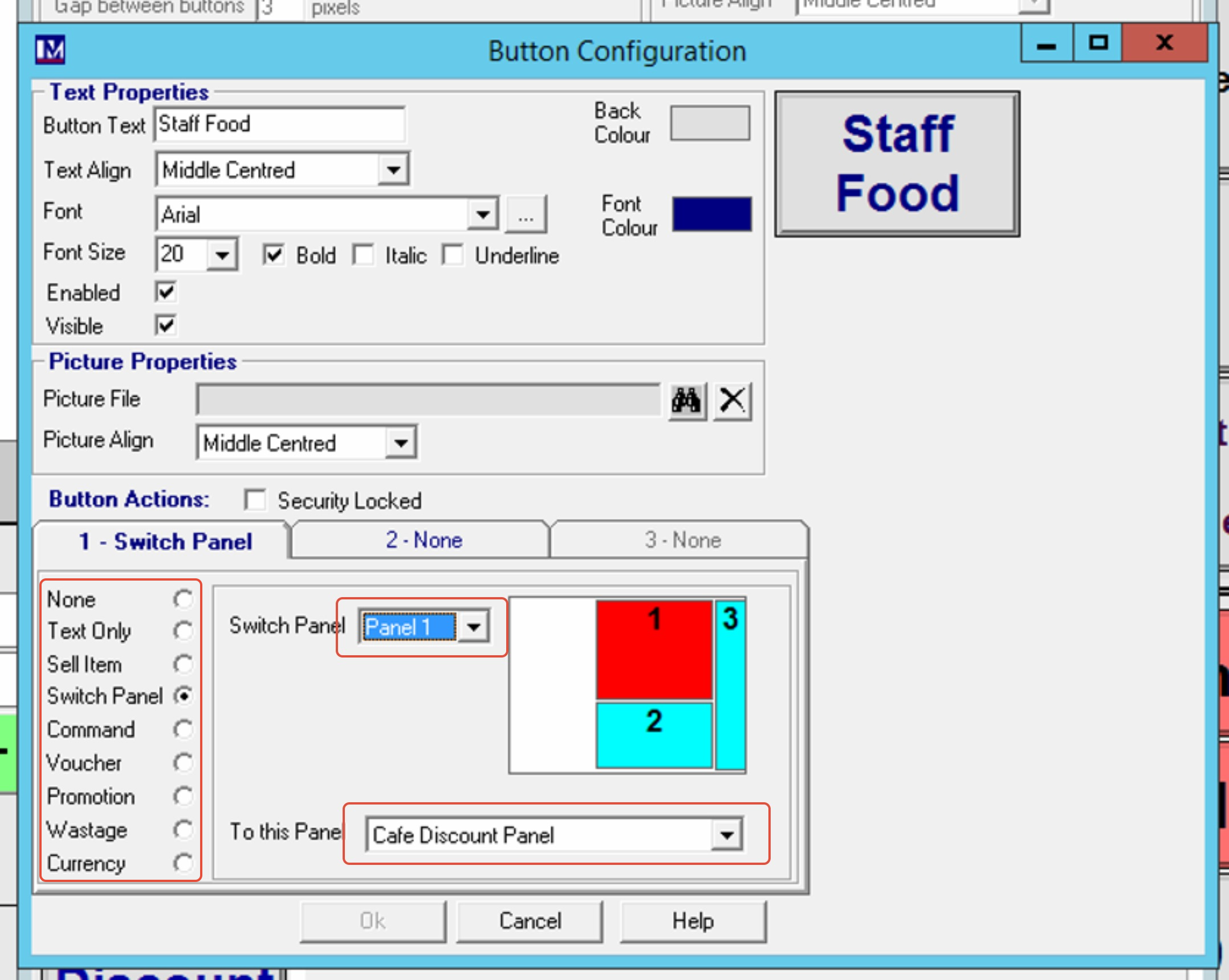
Then change the switch panel to the panel you want to change when the button is pushed and then the box at the bottom pick which panel it will be.
Down the left hand side of the tab you can change the behavior of what the till button does. The switch panel will change the panel on button press. The other ones will perform different actions. For further support you can request the training manual from support or on the Merac training materials website.