
If you previously had PLU Upgrade rules setup online, but they are not firing all of a sudden. You will need to check that all the PLU's linked to your active PLU Upgrade rules have valid prices. If they do not, this can prevent all PLU Upgrade rules from firing.
To have a look at this, please follow the below:
- In the Back Office, go to Setup.
- Go to PLU Upgrades.
- Within each PLU upgrade rule, you will need to check there is a valid price on the PLU's for each of the below if they are set:
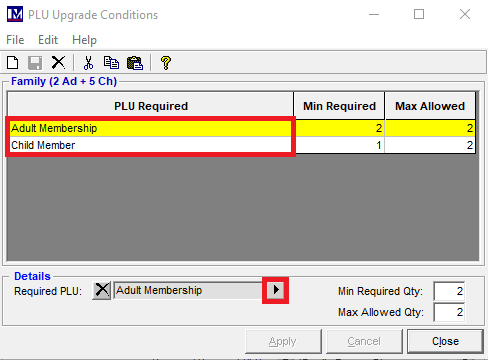
- Qualifying PLU’s Required (This can be accessed by double-clicking on each PLU upgrade rule, to see the list of qualifying PLU’s).
- Sell PLU
- Renewal Discount PLU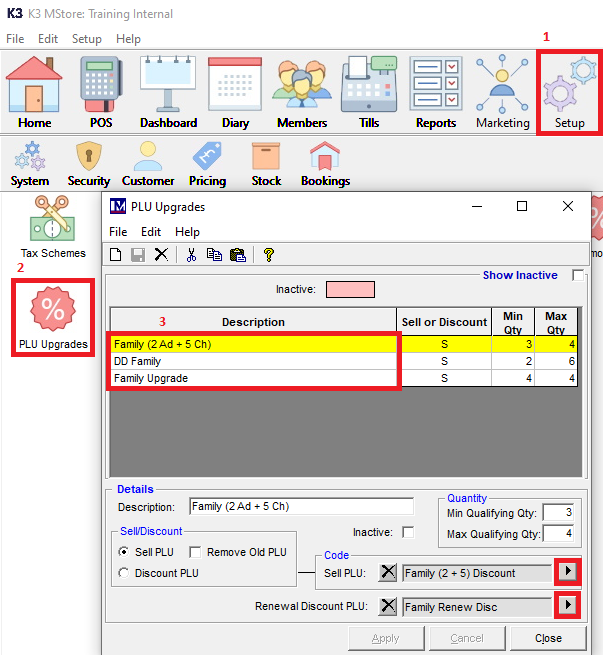
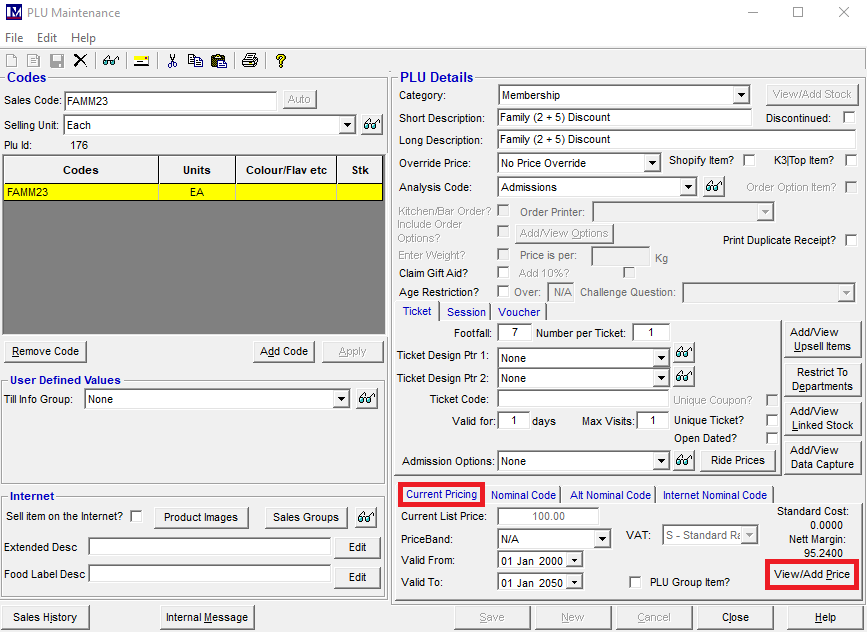
- Once you are in the PLU Maintenance screen, click Current Pricing, then View/Add Price.
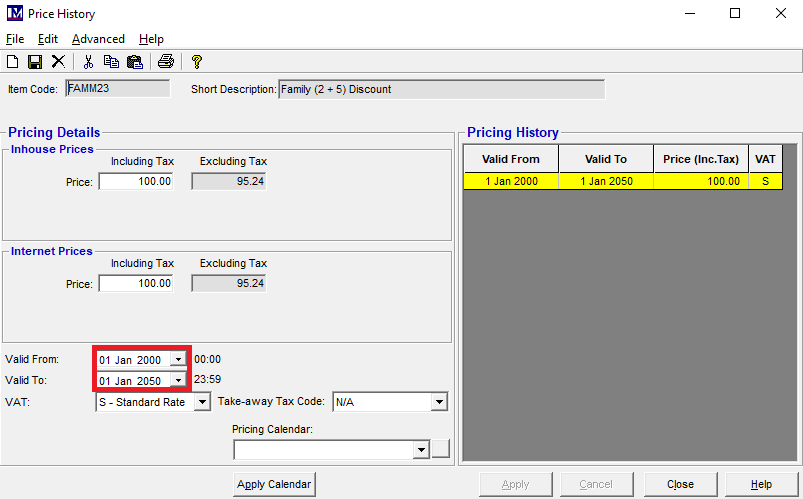
- Within the Price History, you will be able to see all the PLU's price breaks that has been setup. Make sure there is a valid price for today, and into the future.
- Finally, you follow this Knowledge Base article to Update Website Templates To Refresh Changes From the Back Office.